This guide explains the processing issues you may encounter when importing data and how to resolve them. When data is ingested, Labelbox processes it to generate embeddings, extract media attributes, and standardize formats. If an issue occurs, it will be flagged as an error or a warning.

Processing states

  • Processing: The initial state when a data row is ingested.
  • Success: The data row was processed successfully.
  • Failure: The data row could not be processed due to an error or warning. It will not appear in the Catalog until the issue is fixed.

View and fix failed data rows

  1. Find failures: In Catalog, an issue icon will appear next to datasets with processing issues. Click this icon to go to the “Processing Issues” view.
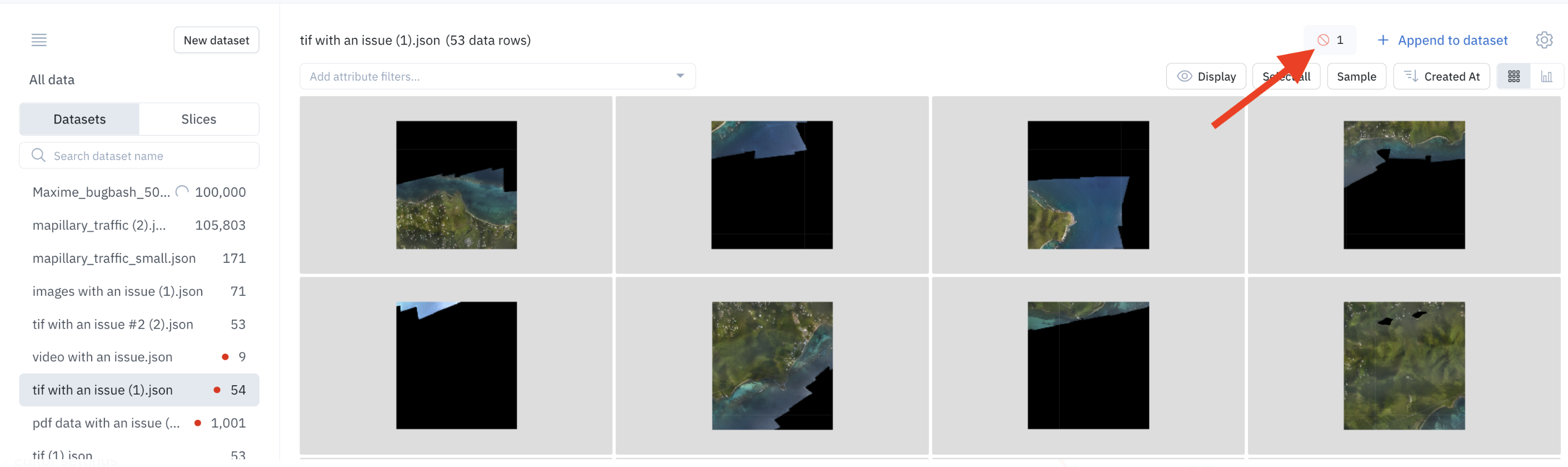
  2. Filter issues: You can filter the view to see data rows with specific errors or warnings.
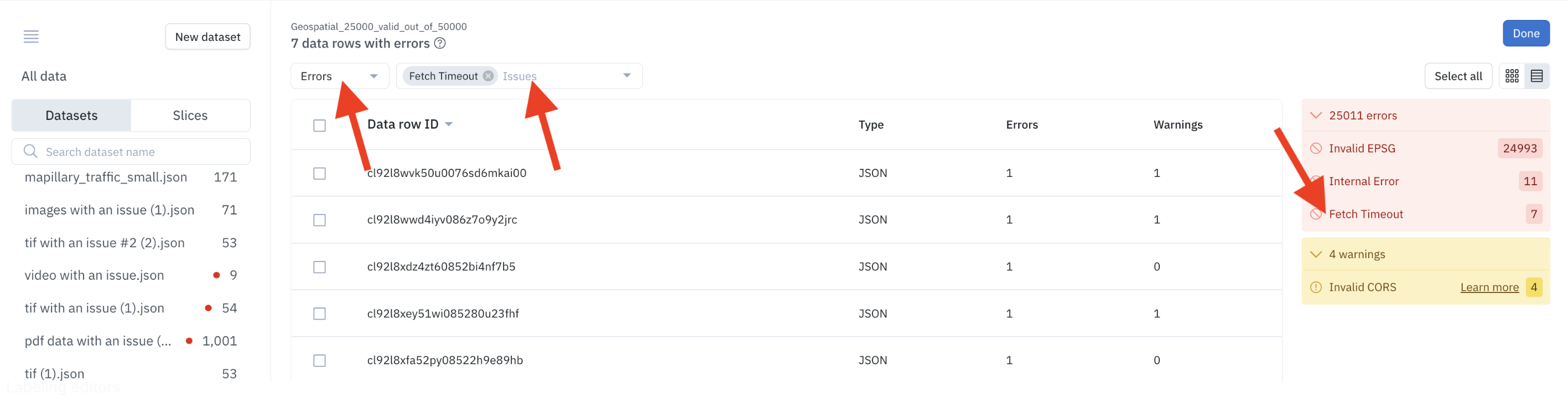
  3. Fix the source issue: Use the error descriptions below to diagnose the problem (e.g., fix a broken URL, correct cloud storage permissions).
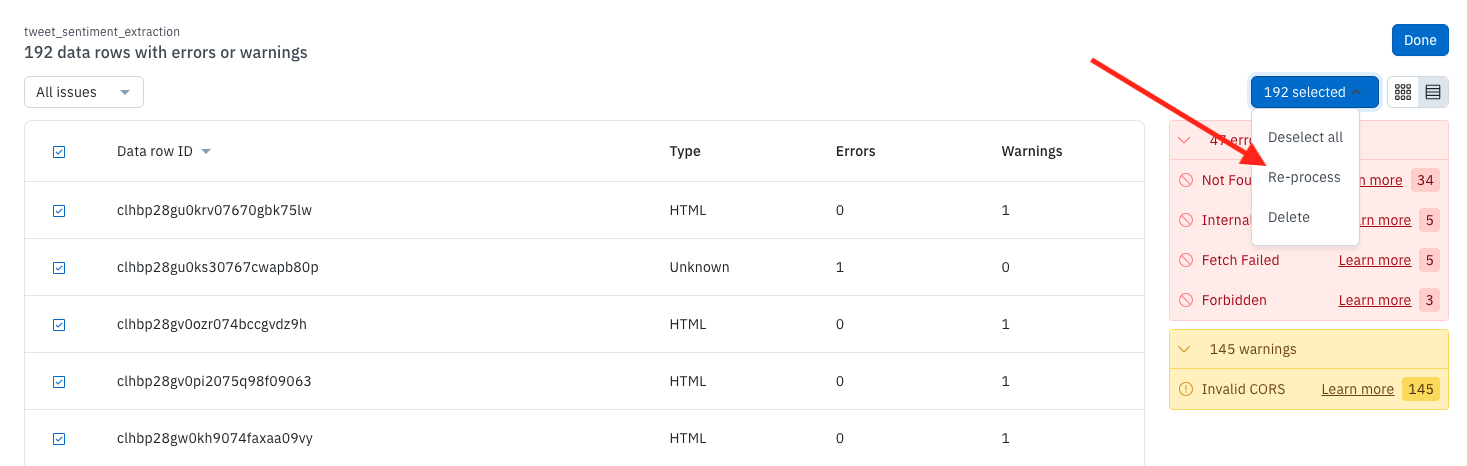
  4. Re-process: Once you’ve fixed the underlying issue, select the failed data rows in the “Processing Issues” view and click Re-process.
Large files

Large files such as TIF, Video, and Audio can take a few seconds to process.

Common errors (failures)

An error is a serious issue that prevents a data row from being used.
ErrorDescription & action
ConversionFailedThe file could not be converted to a format required for labeling.
Action: Ensure the file is not corrupt and meets format requirements.
FetchFailedThe data row URL could not be reached.
Action: Check that the URL is correct and that the Labelbox backend has access.
FetchTimeoutThe data row could not be fetched due to a timeout error.
Action: Re-process the data rows.
ForbiddenAccess to the URL was denied.
Action: Check your cloud storage permissions or pre-signed URL validity.
InternalErrorAn internal error prevented the data row from being processed.
Action: Re-process the data rows.
InvalidEspgThe data row has invalid ESPG metadata.
NotFoundThe file does not exist at the specified URL.
Action: Verify the URL is correct.
TooManyBandsThe geospatial data row has too many bands.
TooManyRequestsThe data row could not be fetched due to a rate-limiting error.

Warnings

A warning indicates a non-critical issue. The data row can be used, but your experience may be degraded.
WarningDescription & action
InvalidCorsThe file is served with invalid CORS headers, which may impact the labeling experience.
Action: Check that the URL is being served with the correct CORS headers.
Processing issues and the Python SDK
  • If you export data rows from Catalog using the SDK, all data rows are exported, including those with processing issues.
  • If you send data rows to a labeling project using the SDK, all data rows are sent to the labeling project, including those with processing issues.